
GMB Everywhere Review: Complete Guide to Features and Pricing

If you’re serious about improving your local SEO and dominating Google Business Profile rankings, tools like GMB Everywhere can make a huge difference. This Chrome extension has quickly become popular among SEO professionals, agencies, and small business owners.
In this detailed GMB Everywhere review, you’ll learn what it is, how it works, its features, pricing, pros and cons, and whether it’s worth using in 2026.
What is GMB Everywhere?
Local SEO Services is highly competitive. Ranking in the Google Map Pack depends on several factors like categories, reviews, posts, and optimization.
GMB Everywhere simplifies this by:
- Providing competitor insights instantly
- Highlighting missing optimization opportunities
- Helping you analyze reviews and categories
Instead of spending 30–60 minutes gathering data manually, the tool delivers everything in one click.
Key Features of GMB Everywhere
Let’s explore the most powerful features that make this tool stand out.
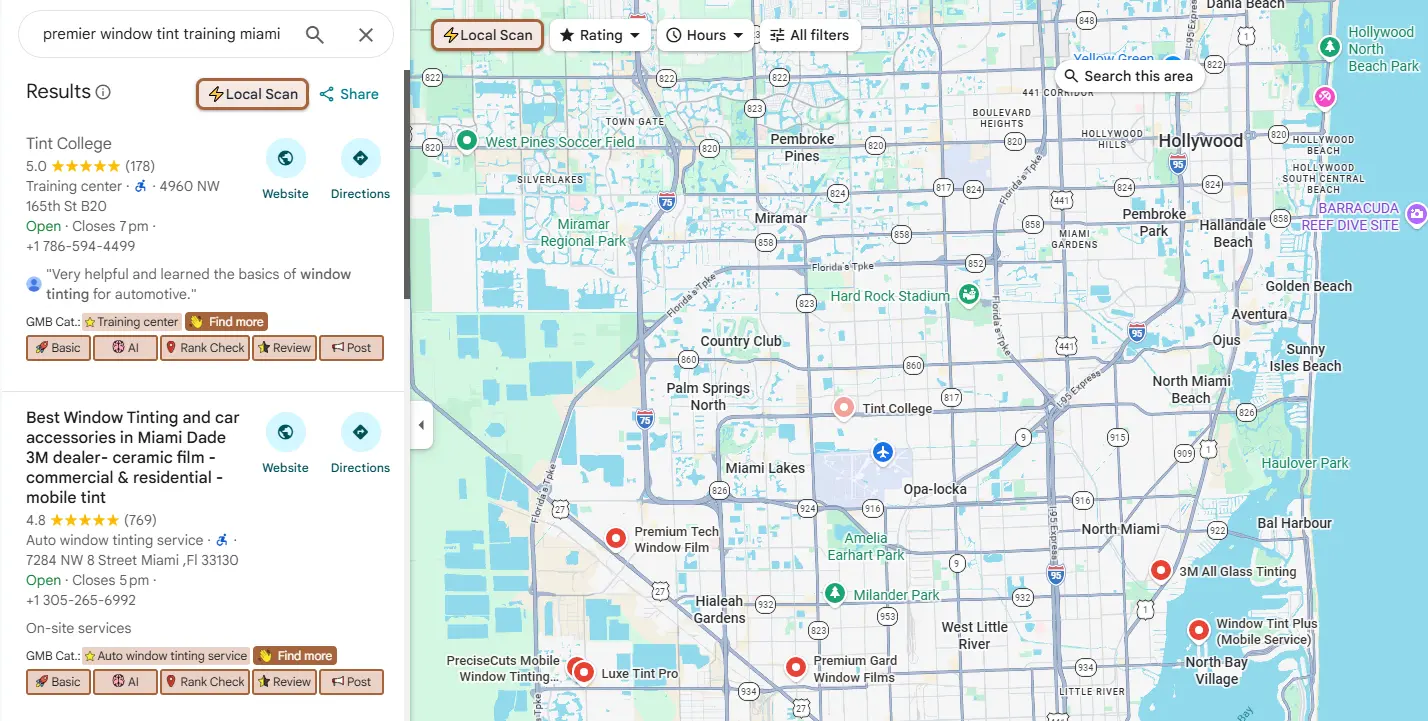
1. GMB Category Finder
One of the most important ranking factors in local SEO is selecting the right business category.
GMB Everywhere allows you to:
- See primary and secondary categories of competitors
- Identify missing categories for your business
- Analyze category trends in your niche
This gives you a competitive advantage, as category optimization directly impacts rankings.
2. Basic Audit Tool
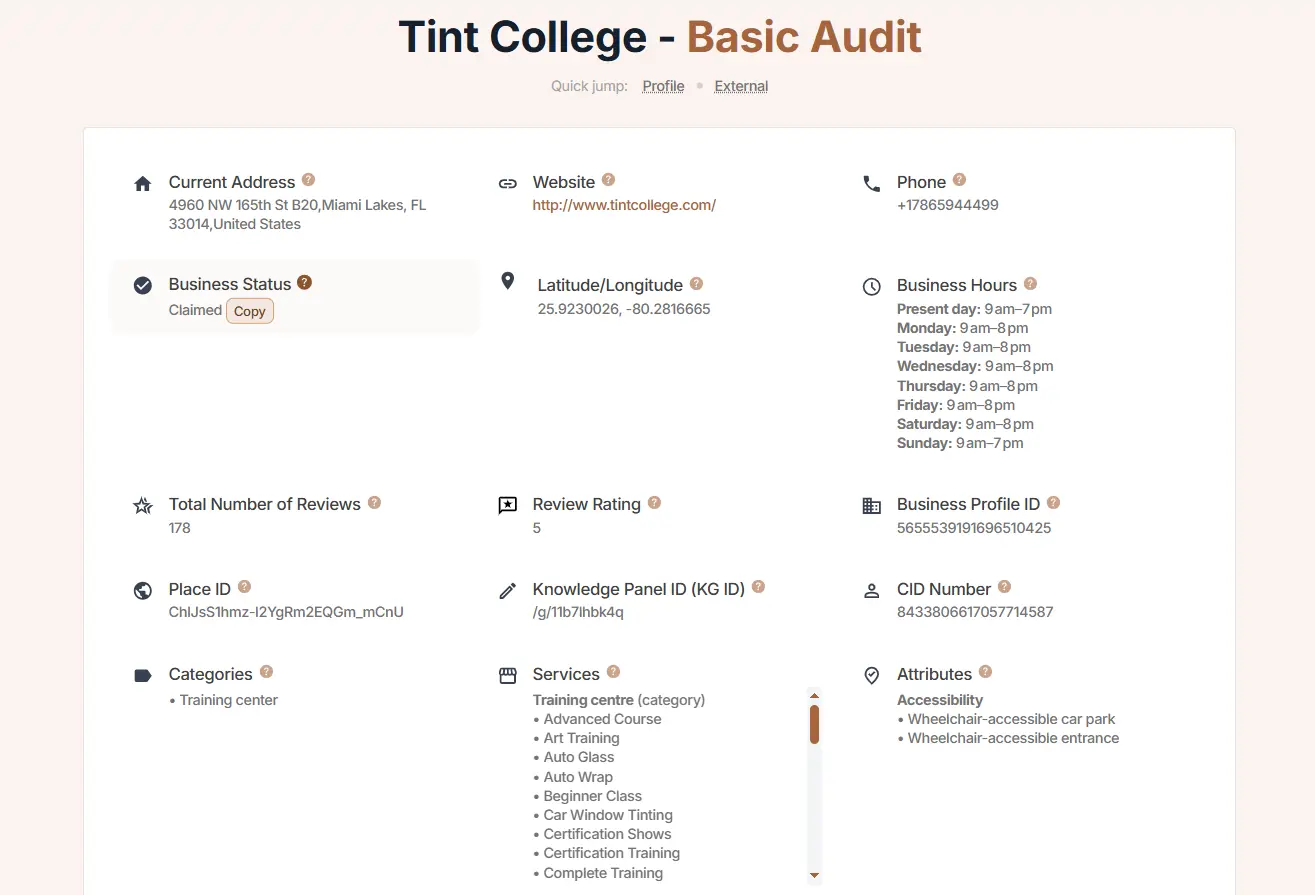
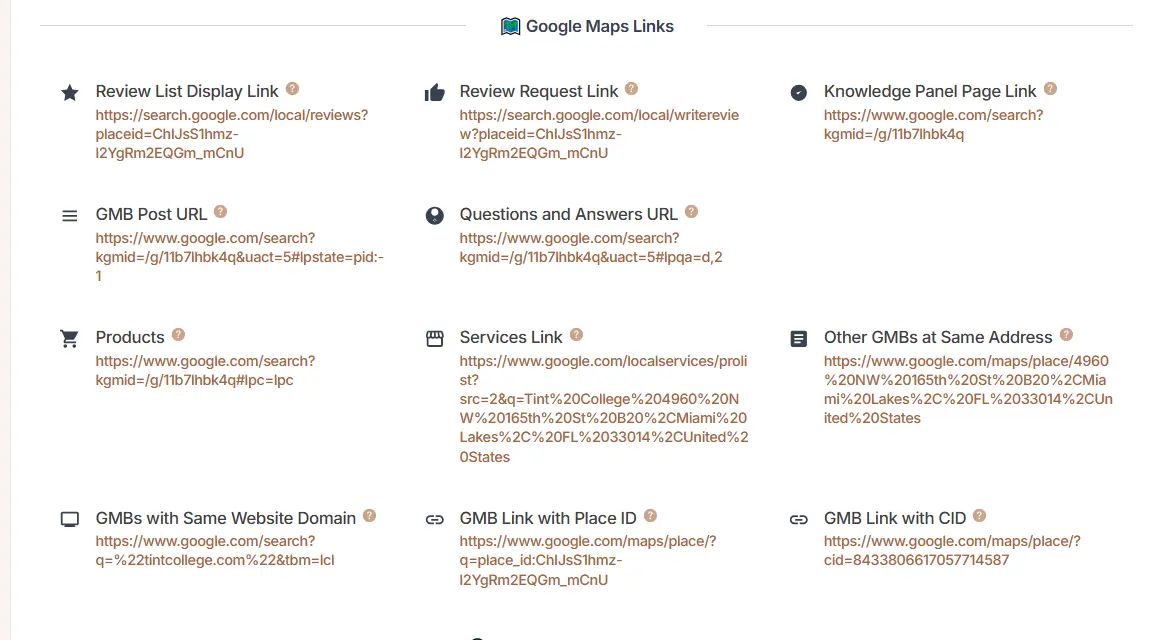
The Basic Audit feature provides a detailed report of a business profile.
It includes:
- Business name, address, and phone
- Website and review links
- Categories used
- Google post URLs
- Place ID and coordinates
This information usually requires multiple tools, but GMB Everywhere compiles it instantly.
3. Review Audit
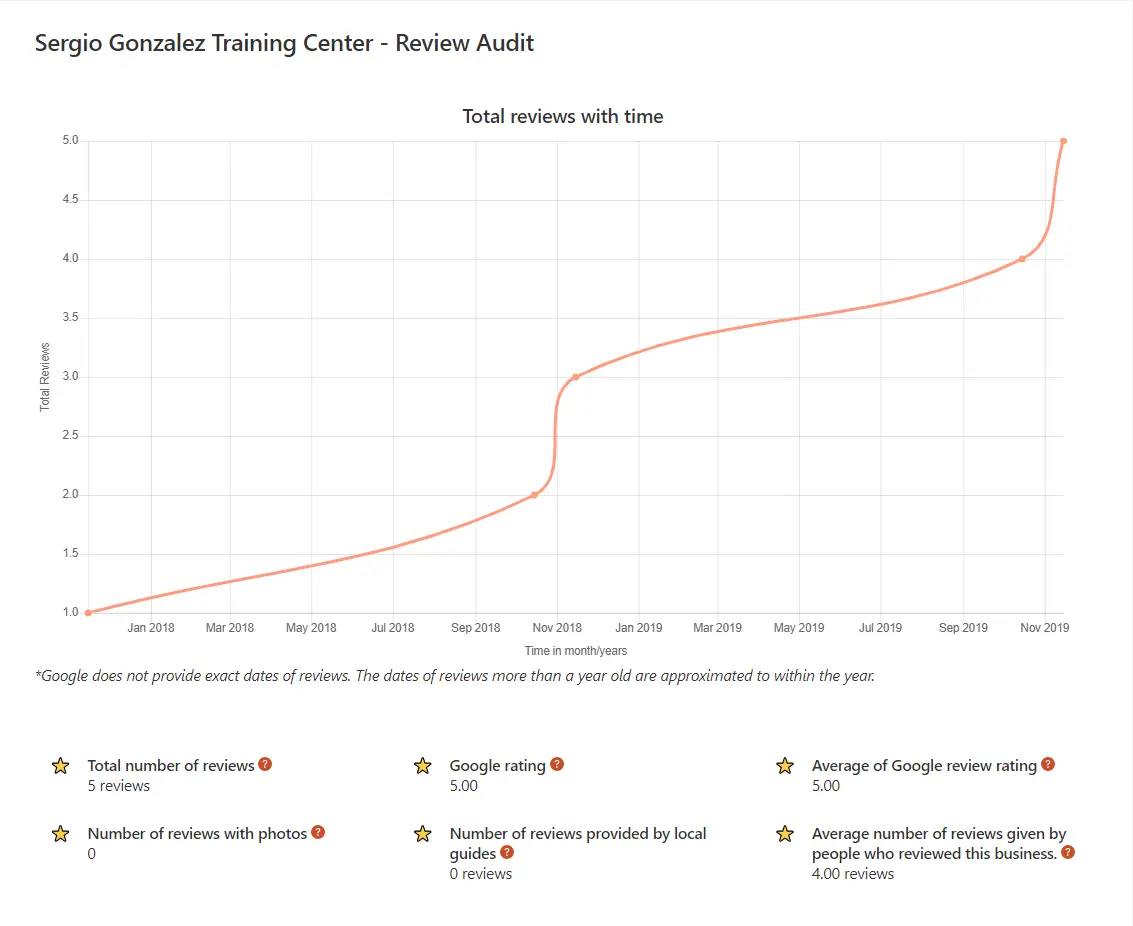
Reviews play a major role in building trust and improving visibility.
With this feature, you can analyze:
- Total number of reviews
- Average rating
- Reviews with photos
- Local guide reviews
- Reviewer activity
It helps businesses understand customer behavior and improve reputation strategies.
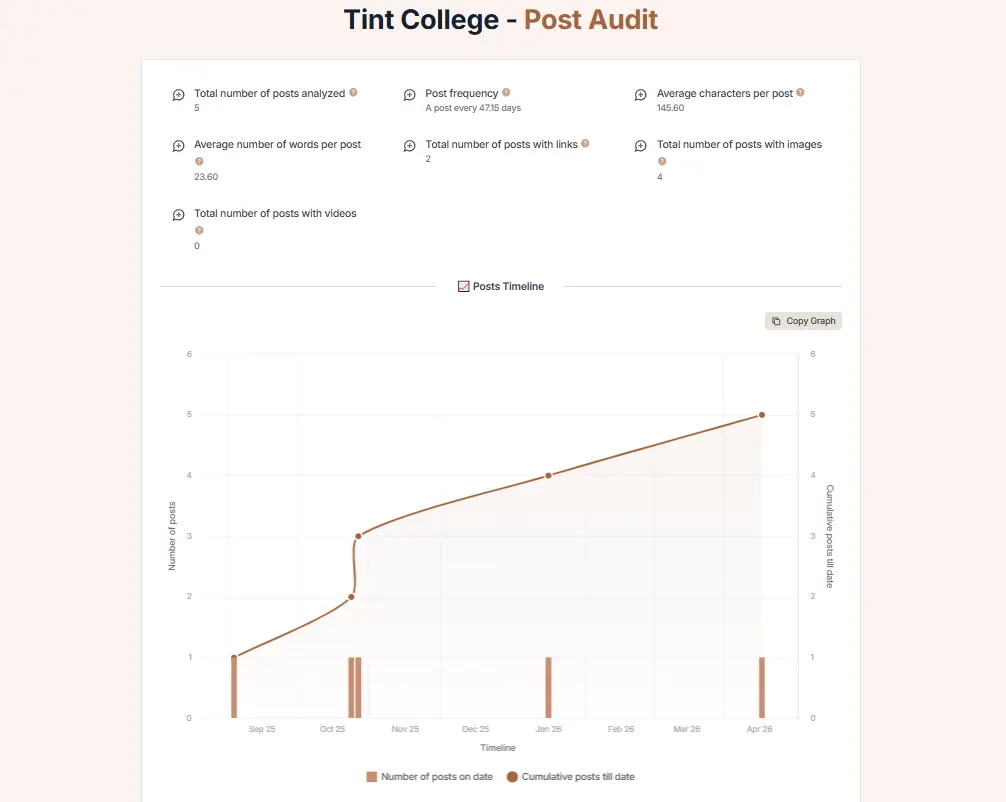
4. Google Posts Audit
Google Posts are often overlooked but still important for engagement.
This feature shows:
- Total posts
- Posting frequency
- Average word count
- Media usage (images/videos)
You can compare your posting strategy with competitors and improve content consistency.
5. Prospecting Tool
This feature is a game-changer for agencies and freelancers.
You can:
- Analyze businesses quickly
- Identify weaknesses
- Pitch services using real data
This makes it easier to convert leads into clients by showing instant value.
6. Teleport & Ranking Insights
One advanced feature is location-based search simulation.
It allows you to:
- See rankings from different locations
- Understand how customers view results
- Improve geo-targeting strategy
This is crucial for businesses targeting multiple areas.
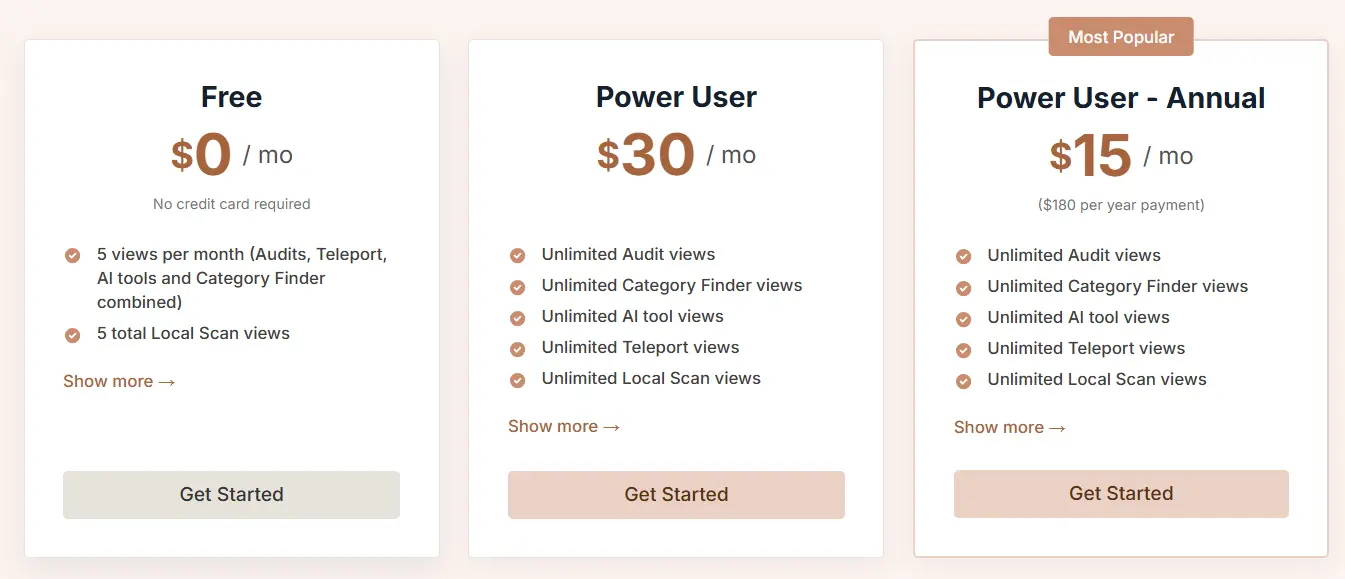
GMB Everywhere Pricing
GMB Everywhere offers both free and paid plans.
Free Plan
- Basic features available
- Good for beginners
- Limited usage
Paid Plans
- Monthly: Around $30
- Yearly: Around $180
The paid version unlocks full features and higher usage limits.
Frequently Asked Questions
How do I install and use the GMB Everywhere extension?
It is installed via the Chrome Web Store, allowing users to access tools directly within maps.google.com, such as the audit button and AI features.
How can I see my competitors’ GMB categories?
The extension allows users to see the primary and secondary categories of competitors in Google Maps search results, with a “find more” button for deeper analysis.
What is the GMB Everywhere Local Scan feature?
This tool performs a local audit on the top 20 results in the Google local pack, breaking down ranking factors to show how to improve visibility.
How does the AI Q&A generator work?
It allows users to generate and add FAQ content to their own GMB listing, helping fill out the Q&A panel efficiently, often in under five minutes.
Does GMB Everywhere help with post generation?
Yes, the tool includes an AI button for creating GMB posts and managing post audits.
Is GMB Everywhere free?
It offers free tools, with premium options (around $30/mo or $15/mo annually) available for more advanced features like deeper audit analysis.
Conclusion
GMB Everywhere is one of the best Chrome extensions for local SEO in 2026. It simplifies complex tasks like audits, competitor analysis, and review tracking.
If you want a quick, efficient way to improve your Google Business Profile performance, this tool is definitely worth trying.