
The Ultimate On-Page SEO Checklist for 2026 (Step-by-Step Guide)

On-page SEO is no longer just about inserting keywords—it’s about improving content relevance, user experience (UX), and search visibility across both traditional search engines and AI-generated results.
The best part?
The same on-page SEO strategies that help you rank on Google also increase your chances of appearing in AI-driven answers.
In this guide, we’ll walk through 11 essential on-page SEO tasks, along with key technical actions you shouldn’t ignore.
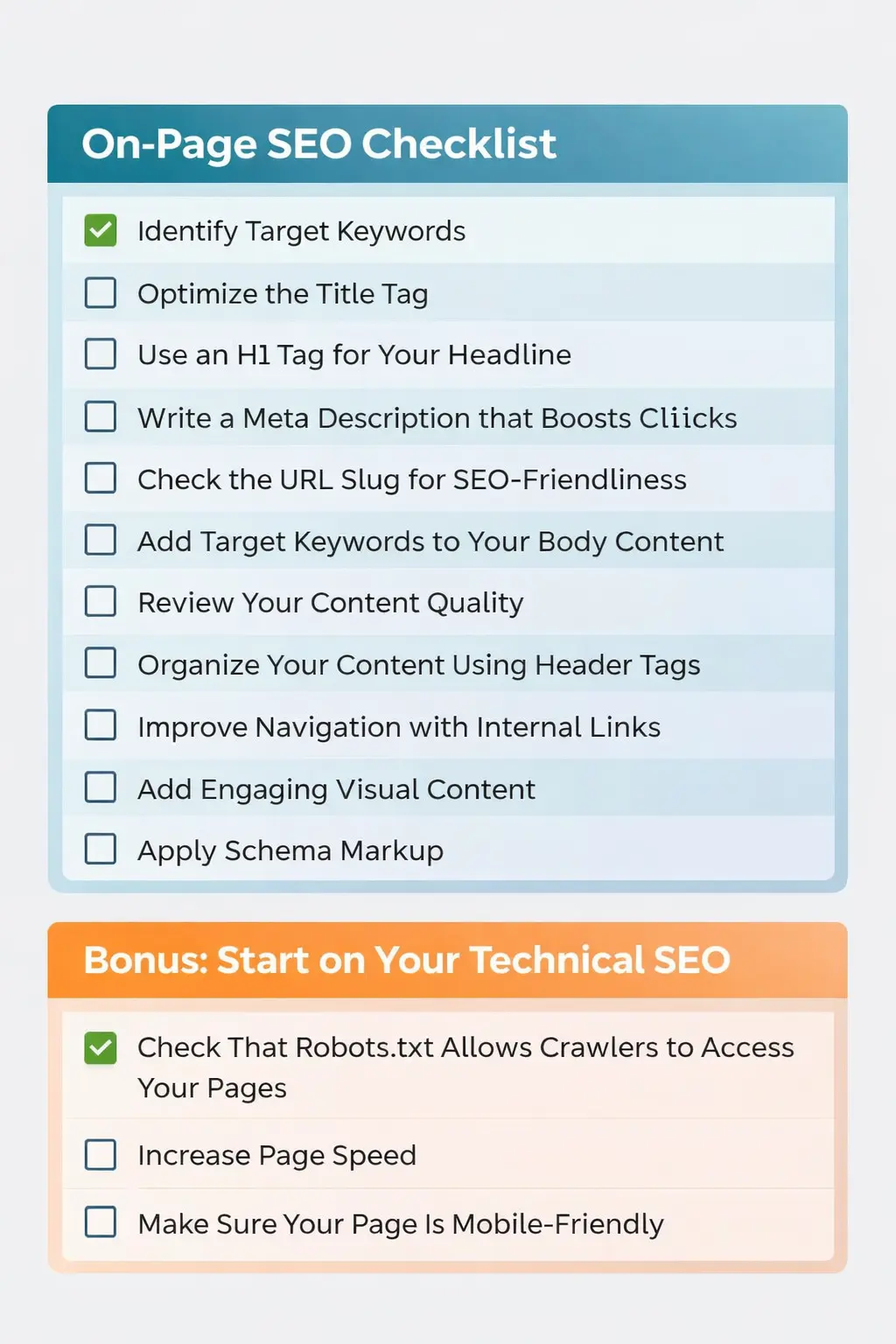
1. Identify Target Keywords
Before creating or optimizing content, you need to identify the right target keywords—the terms your audience is actively searching for.
These keywords form the foundation of your entire on-page SEO strategy. Every optimization—from headings to internal links—should align with them.
Why Target Keywords Matter
Target keywords help search engines understand:
- What your page is about
- When to show it in search results
- Whether it matches user intent
Without proper keyword targeting, even high-quality content may struggle to rank.
Key Factors to Consider When Choosing Keywords
1. Search Volume
This shows the average number of monthly searches for a keyword.
Higher volume means more traffic potential—but often more competition.
2. Keyword Difficulty
This indicates how hard it is to rank in the top 10 search results.
You can analyze this using tools like:
- SEMrush
- Ahrefs
If your website is new or has low authority, it’s smarter to target low to medium difficulty keywords first.
3. Search Intent (Most Important)
Search intent defines what the user actually wants when they type a query.
It typically falls into four categories:
- Informational – Users want to learn
Example: “types of blue flowers” - Navigational – Users want a specific website
Example: “1800flowers” - Commercial – Users are researching before buying
Example: “best flower delivery service” - Transactional – Users are ready to take action
Example: “buy blue hydrangeas online”
Example: Choosing the Right Keyword
Let’s say you run a small, local flower shop.
At first glance, targeting “blue flowers” seems like a great idea:
- High search volume (around 74,000/month)
- Broad audience appeal
But here’s the problem:
- It has moderate to high competition
- It’s too broad
- It may not match your business goals
Instead, a better strategy would be to target:
- “blue flowers delivery in [your city]”
- “buy blue flowers online near me”
- “best blue flowers for bouquets”
These keywords:
- Have lower competition
- Match stronger intent
- Are more likely to convert visitors into customers
Pro Tip
Don’t chase high-volume keywords blindly.
Focus on relevance + intent + achievable ranking opportunities.
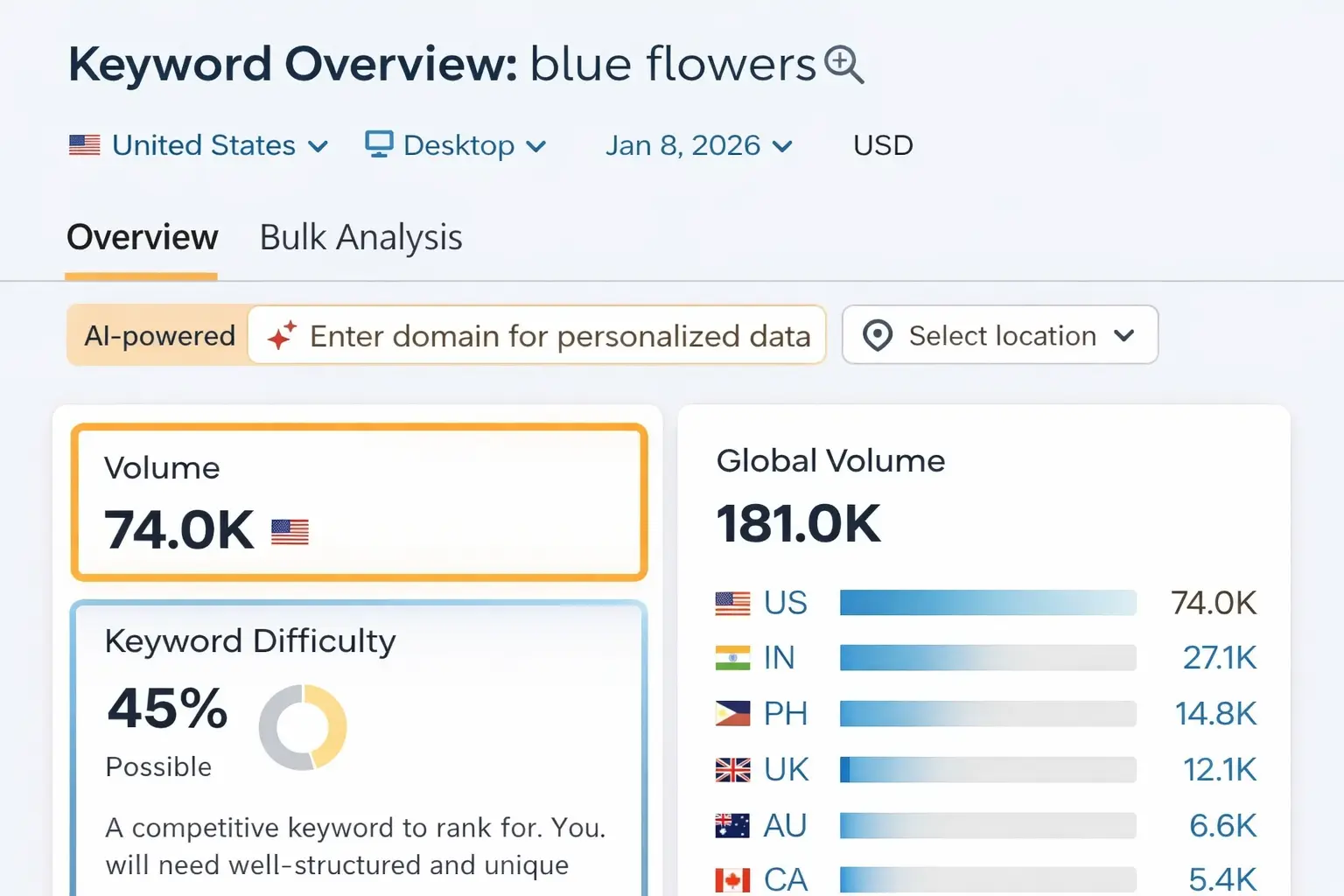
Also, when you look at the search engine results page (SERP), you’ll often notice that it’s dominated by AI-generated overviews and informational content.
This clearly indicates that most users searching for this keyword are trying to learn more about flowers rather than make a purchase.
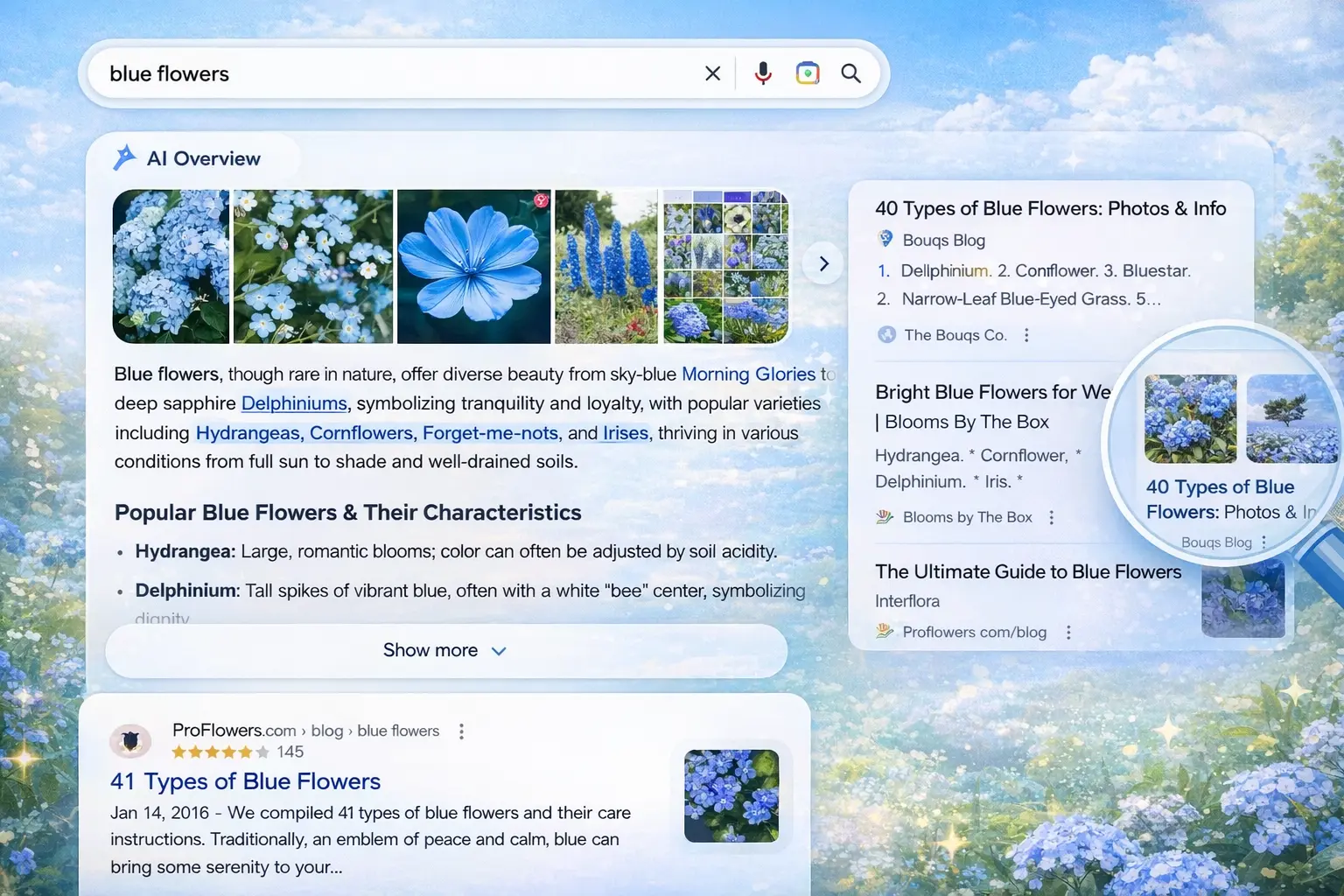
So, if your primary goal is to drive sales or conversions, targeting a broad keyword like “blue flowers” may not be the best strategy.
How to Find the Right Keywords
To identify better keyword opportunities, you can use tools like Semrush’s Keyword Magic Tool.
Start by entering your seed keyword (a general term related to your business or product), then click on the search button. You can also enter your domain to receive more tailored insights.
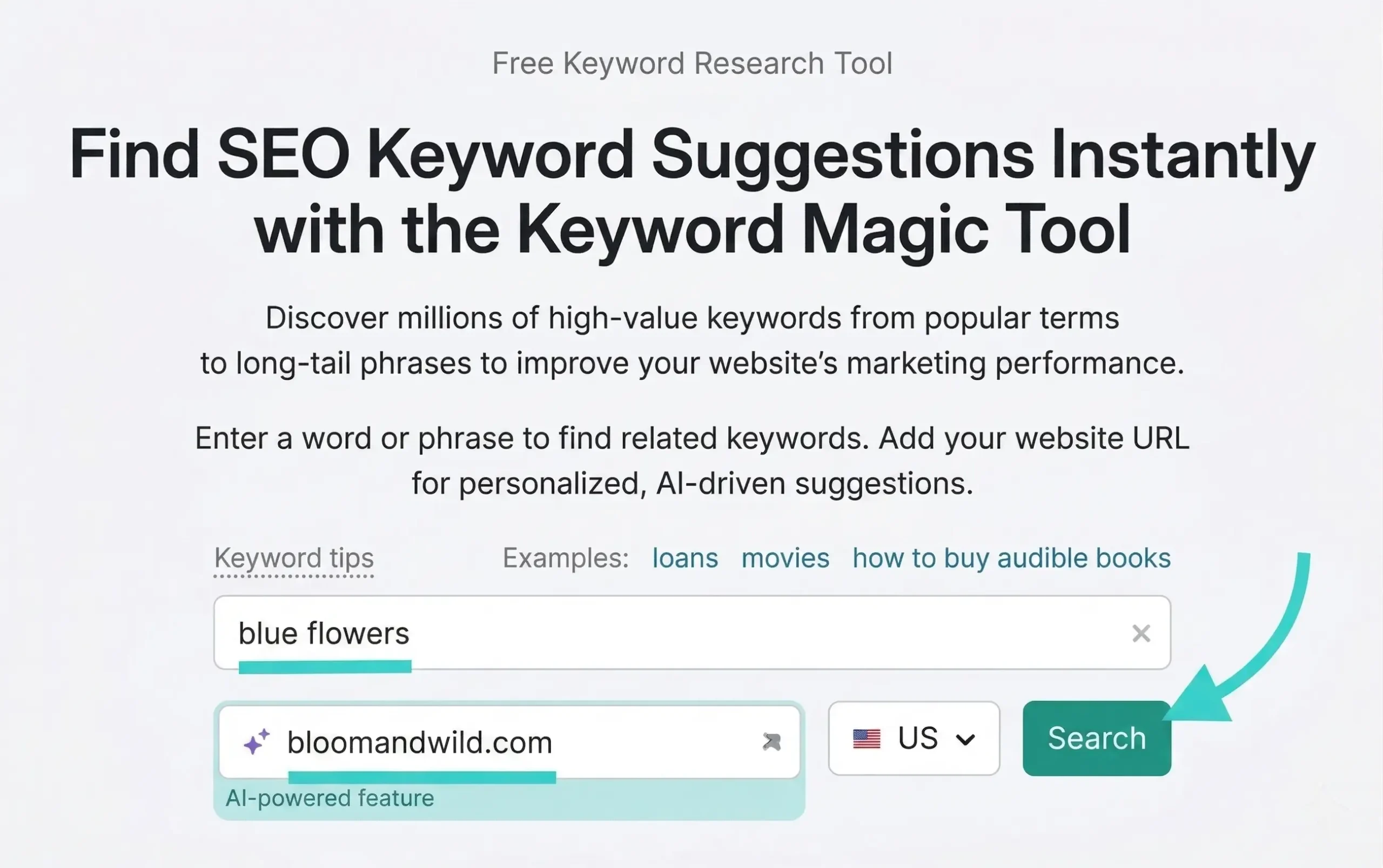
Once you proceed, you’ll get access to a wide range of keyword ideas.
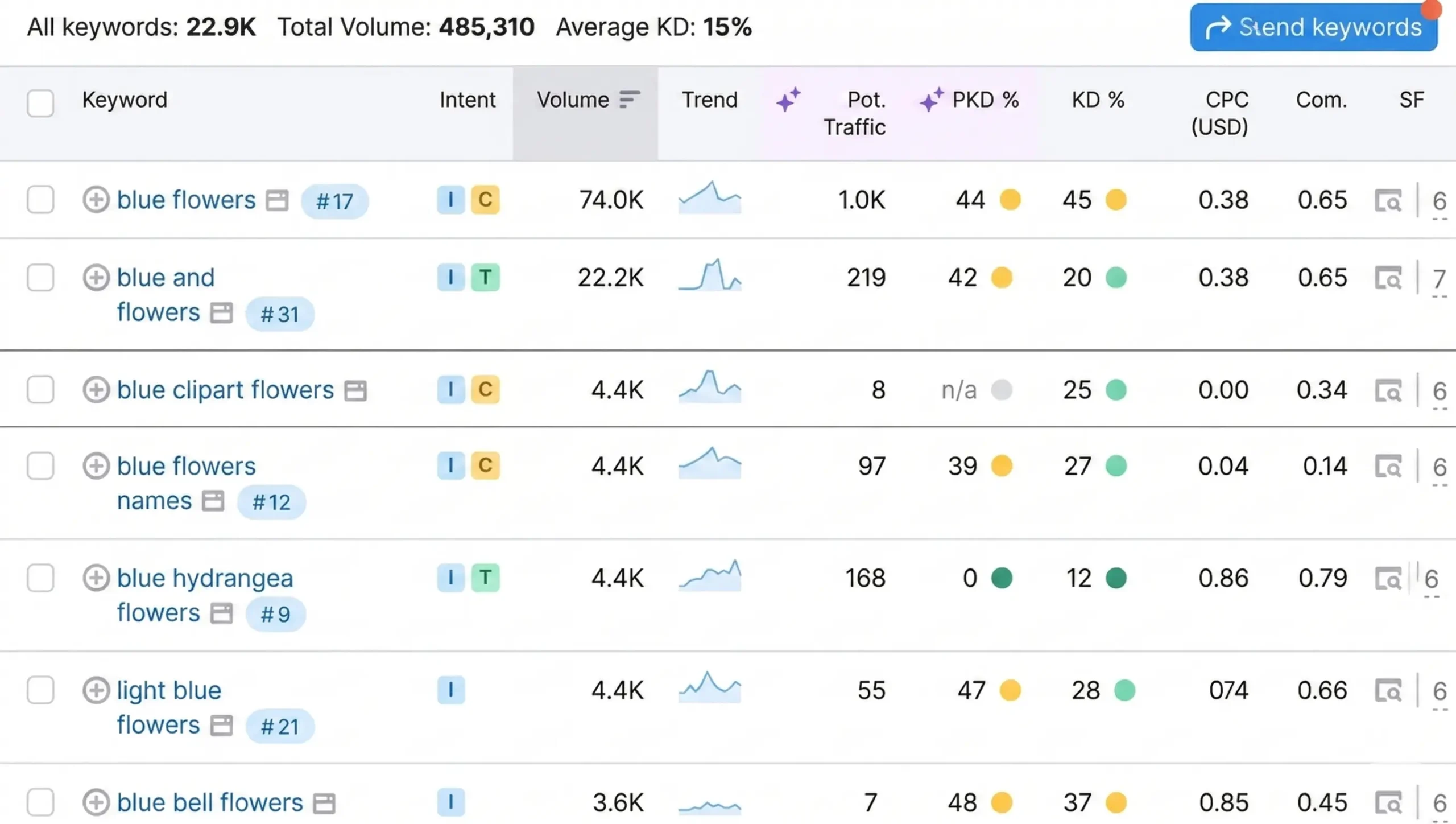
However, not every keyword is worth targeting. You need to refine the list based on what aligns with your business goals and SEO strategy.
Filter Keywords the Smart Way
To narrow down your keyword list effectively, apply these filters:
- Search Volume → Focus on keywords with decent traffic potential
- Search Intent → Choose keywords that match your page objective (e.g., transactional for sales pages)
- Personal Keyword Difficulty (KD%) → Lower difficulty increases your chances of ranking
Make a list of keywords that meet your criteria—you’ll use them throughout your on-page SEO process.
2. Optimize the Title Tag
Your title tag plays a crucial role in telling both search engines and users what your page is about—while also encouraging clicks.
Title tags are visible in:
- Browser tabs
- Search engine results as clickable headlines
Here’s an example of how a title tag appears in search results:
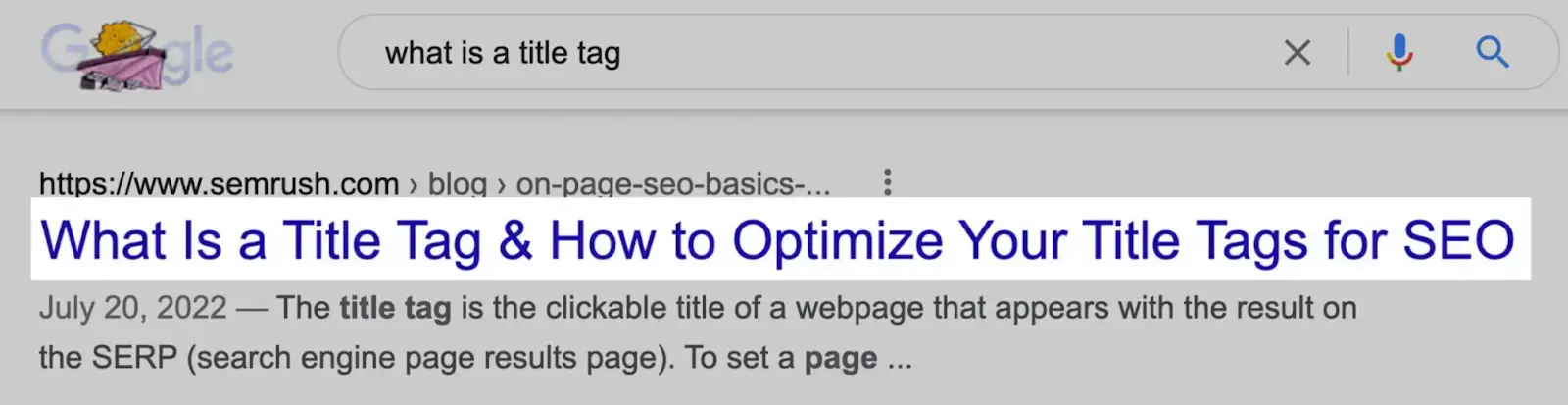
And here’s how it looks in HTML:
How to Optimize Your Title Tag
- Place your primary keyword near the beginning
- Keep the title clear, relevant, and aligned with your content
- Include secondary keywords naturally (avoid overuse)
- Keep it within ~55–60 characters to prevent truncation
Here’s what happens when titles are too long:
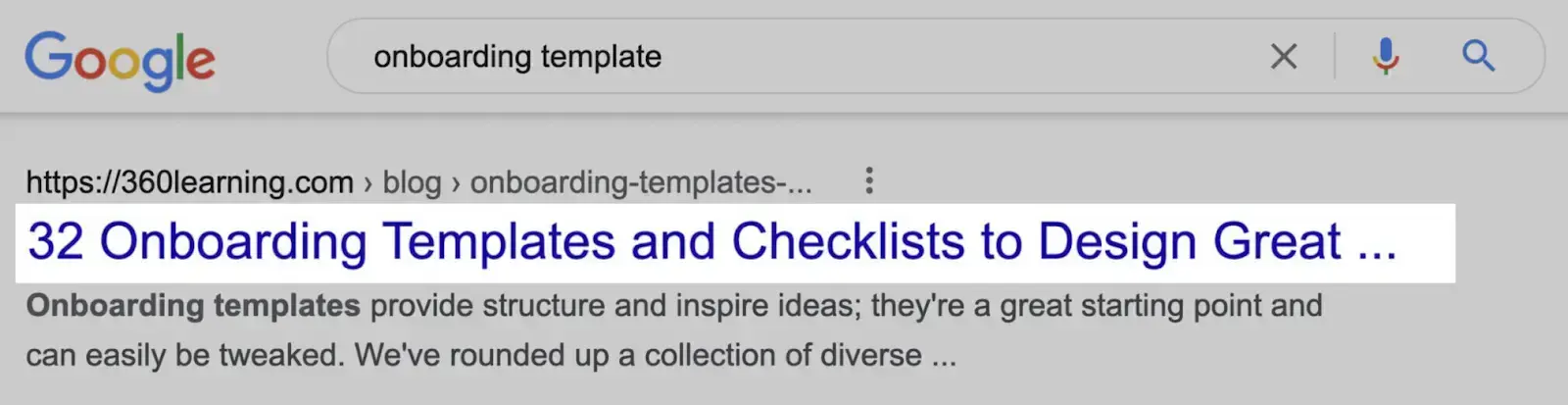
Use SEO Tools for Optimization
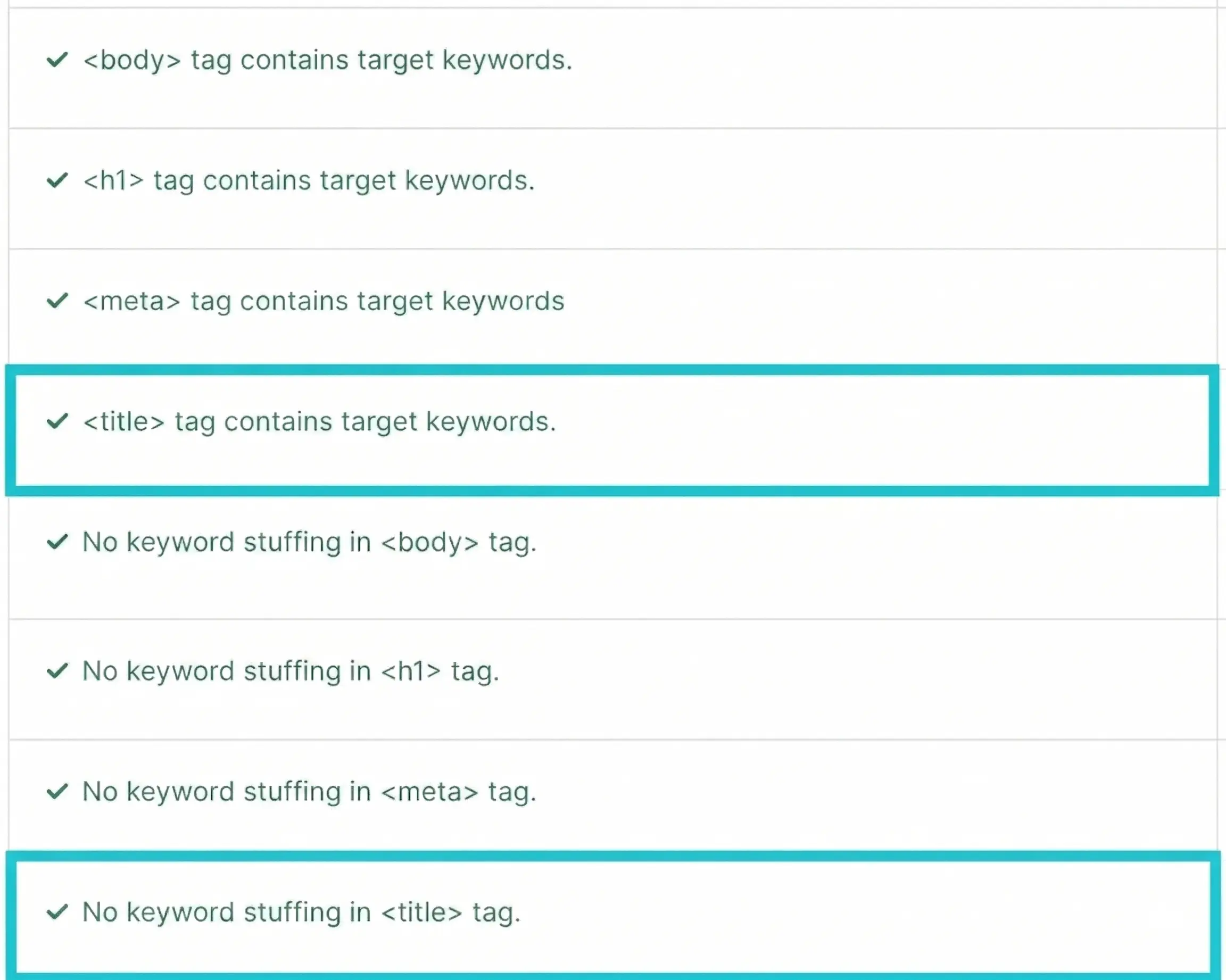
You can use tools like Semrush’s On Page SEO Checker to analyze your title tags.
After setting up your project:
- Go to the “Optimization Ideas” section
- Review suggestions for each page
- Click on “# ideas” to see detailed recommendations
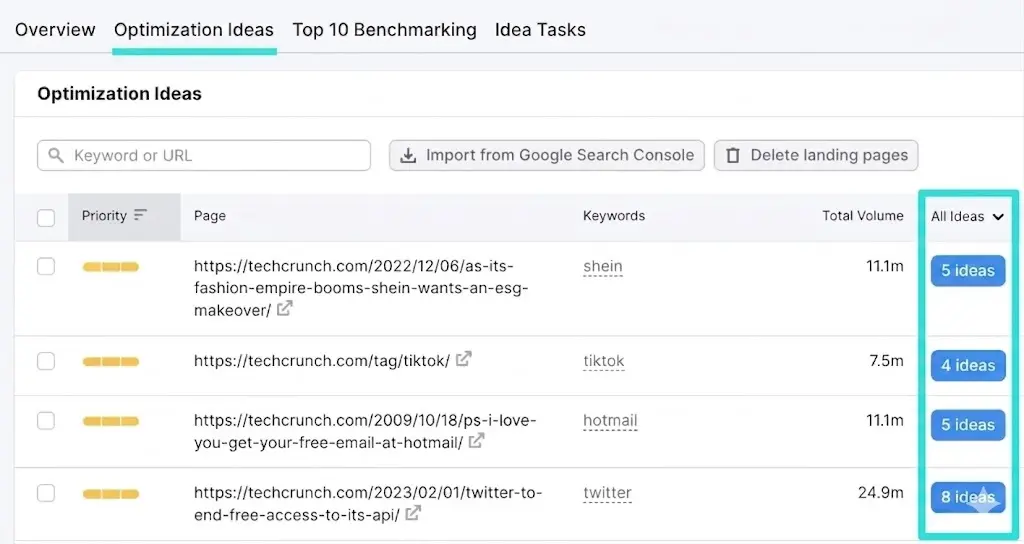
The tool also highlights whether:
- Your title includes target keywords
- You’re overusing keywords
Make sure every page on your website has a properly optimized title tag.
3. Use an H1 Tag for Your Headline
Every page should include one clear H1 tag that explains what the page is about.
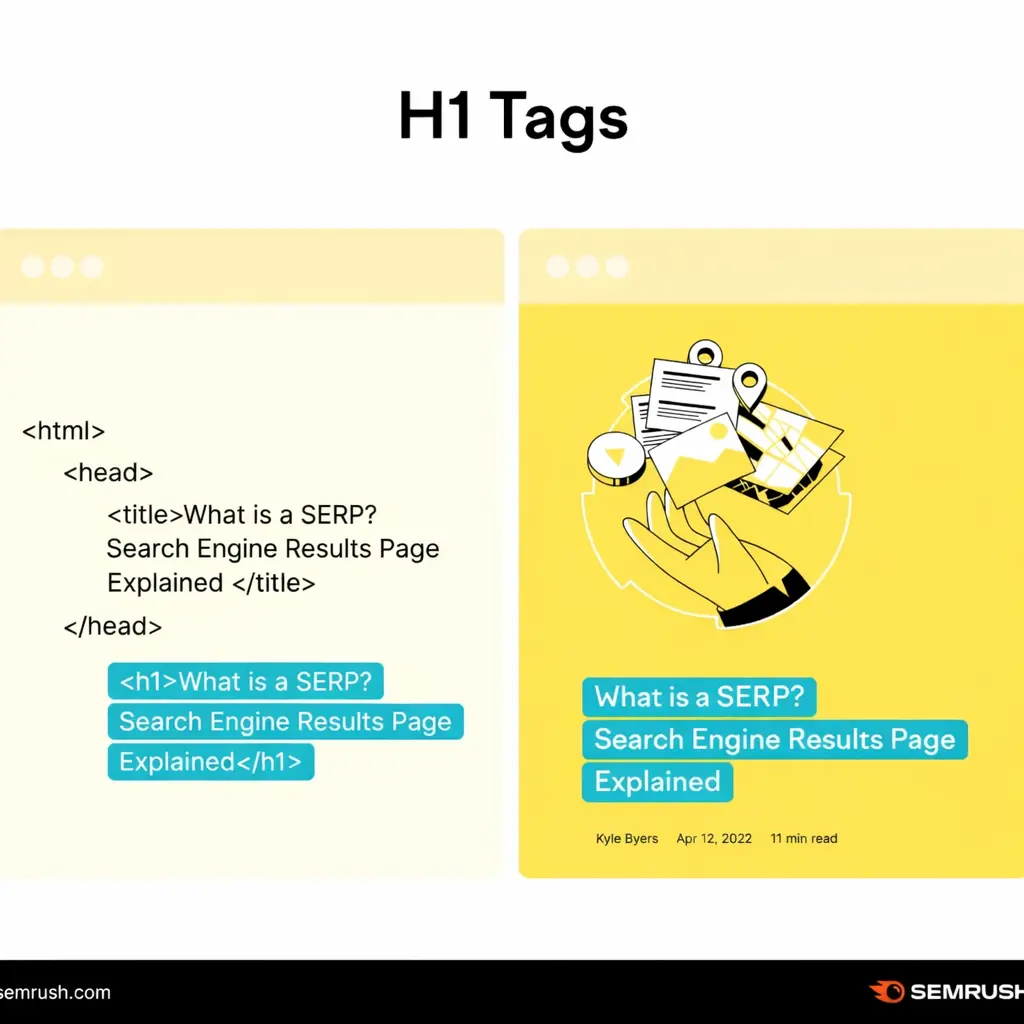
Unlike the title tag, the H1 appears directly on your webpage.
Here’s how it looks:
Best Practices for H1 Tags
- Include your primary keyword near the beginning
- Clearly explain what the page covers
- Use engaging language to attract attention
- Keep it aligned with your content
Important Tip
Your H1 and title tag can be similar—but your H1 can be more descriptive since it’s not limited by search result display constraints.
Avoid These Mistakes
- Using multiple H1 tags
- Writing vague or misleading headlines
- Overpromising and underdelivering
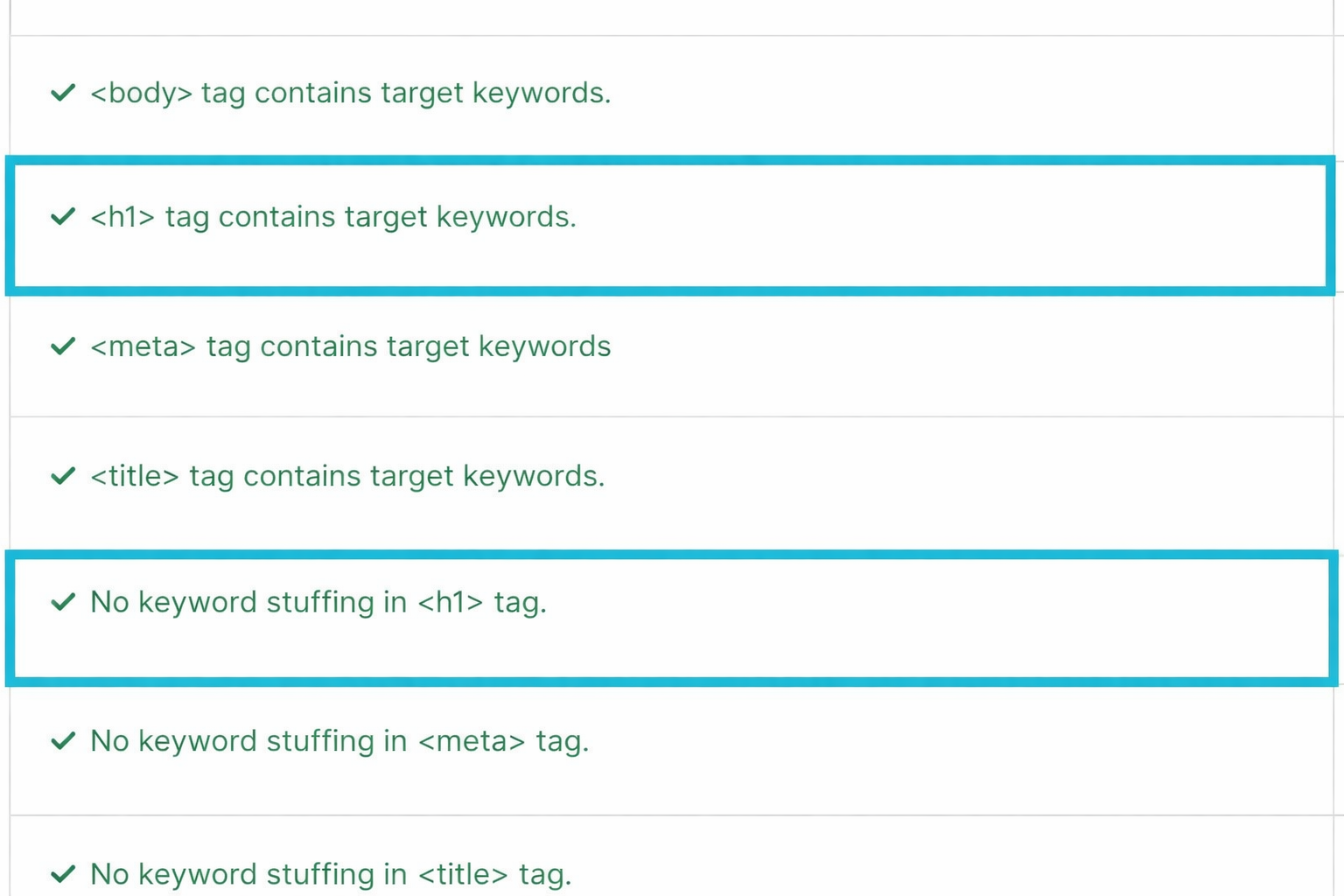
Check H1 Optimization
You can again use On Page SEO Checker to verify:
- Keyword placement
- Keyword stuffing issues
4. Write a Meta Description That Drives Clicks
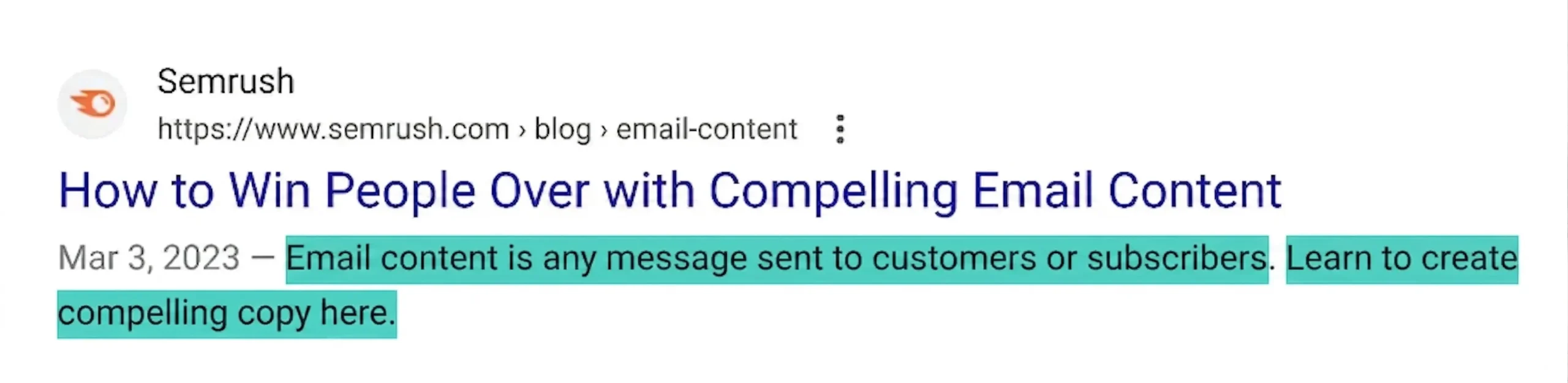
A meta description is a short summary of your page that appears below the title in search results.
Here’s an example:
And in HTML:
Why Meta Descriptions Matter
Even though they’re not a direct ranking factor, they significantly impact:
- Click-through rate (CTR)
- User engagement
Best Practices
- Include your target keyword naturally
- Clearly explain what users will gain
- Highlight your unique value
- Add a soft call-to-action (e.g., “Learn more,” “Discover how”)
- Keep it under ~105 characters
Pro Tip
If your meta description is unclear or irrelevant, search engines may rewrite it. Writing a strong one helps you maintain control over how your page appears.
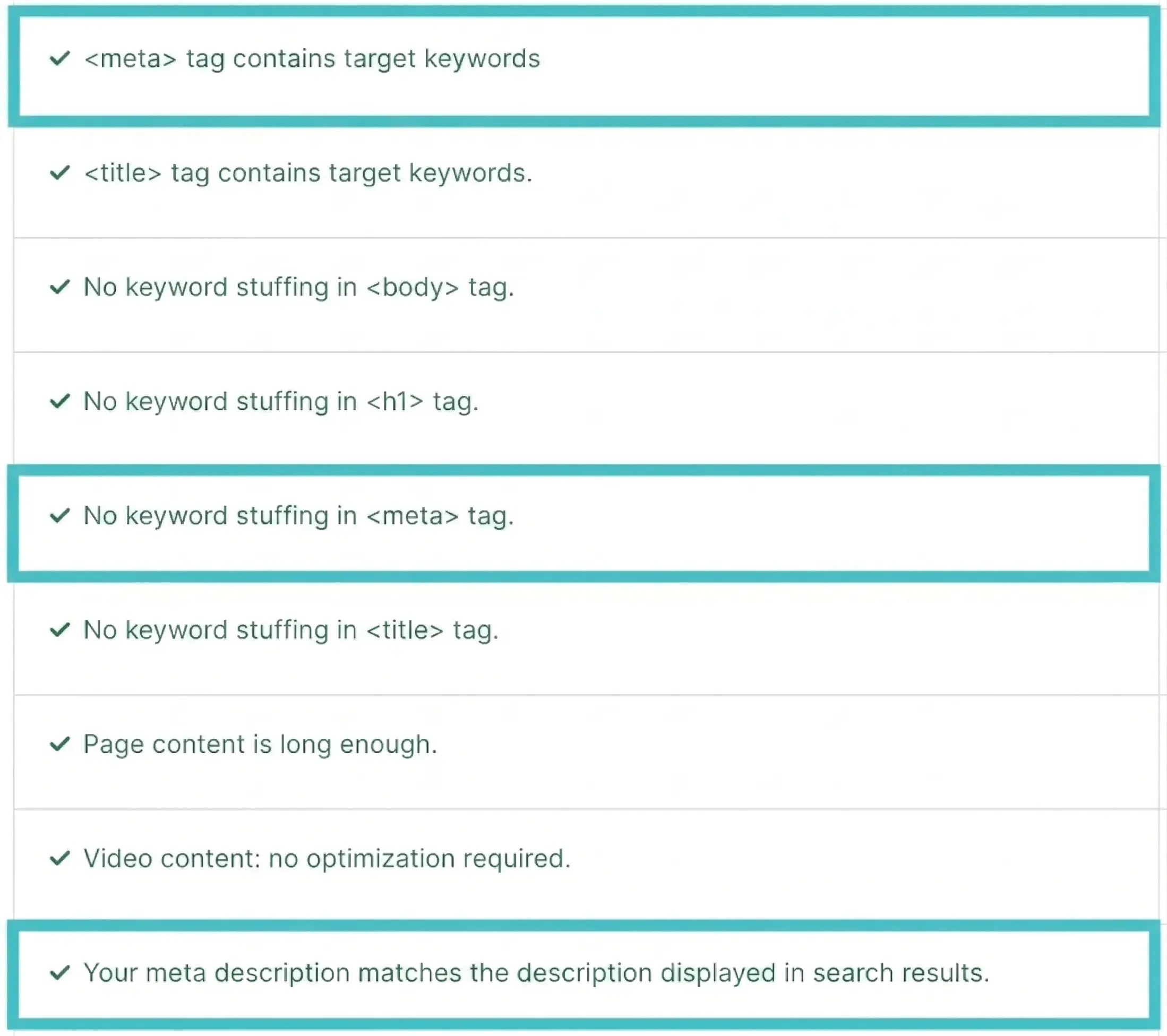
Check with SEO Tools
Use On Page SEO Checker to:
- Identify missing keywords
- Detect keyword stuffing
- See if Google is rewriting your description
5. Check the URL Slug for SEO-Friendliness
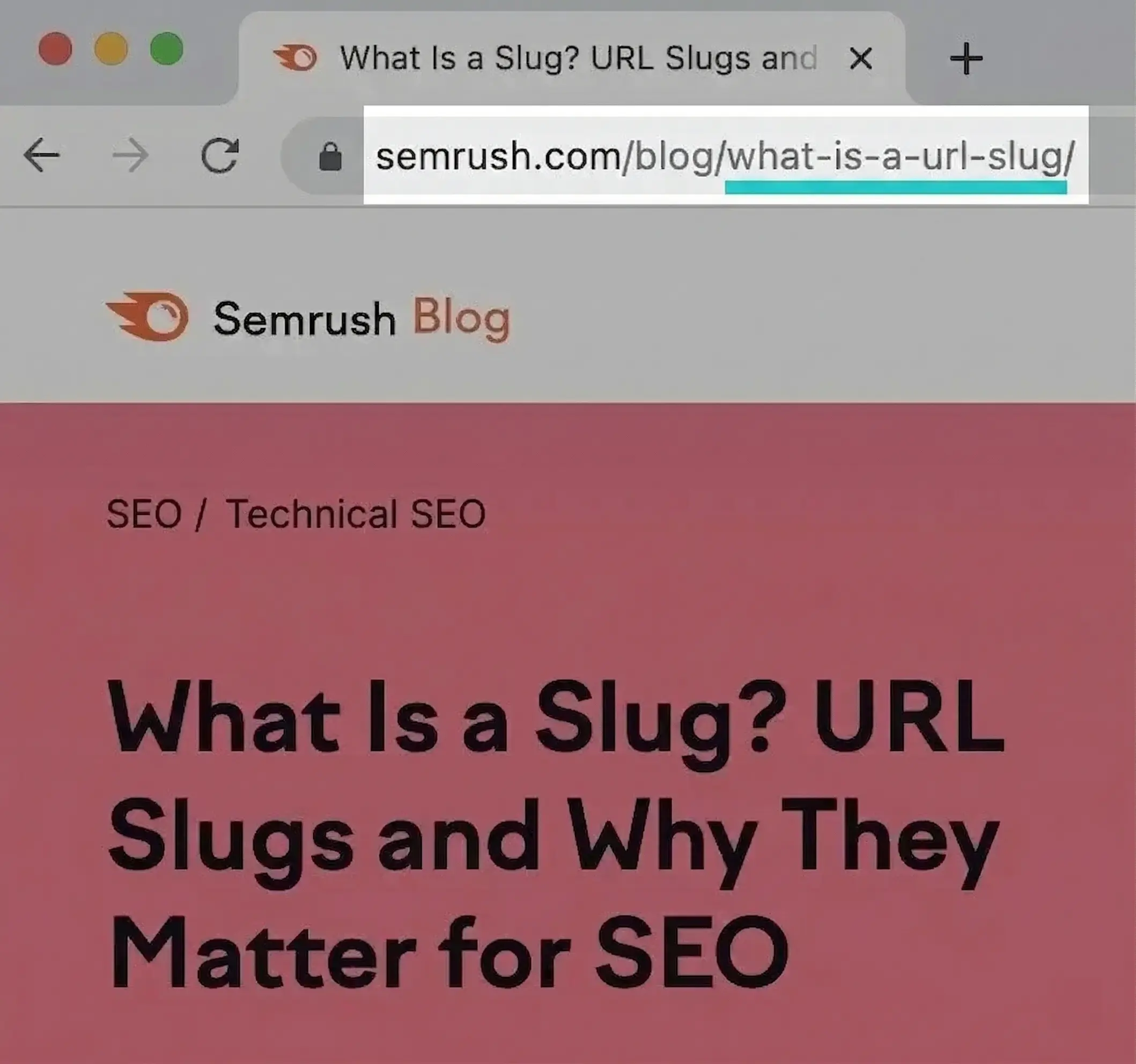
Your URL slug is the part of the URL that describes the specific page.
Example:
How to Optimize URL Slugs
- Keep it short and descriptive
- Include your primary keyword
- Use hyphens (-) to separate words
- Avoid unnecessary words like “and,” “the,” etc.
- Do not use special characters
- Avoid adding dates that may become outdated
Examples
❌ /page?id=123
✅ /on-page-seo-checklist
Important Tip
If you ever change a URL:
👉 Always set up a 301 redirect
This ensures you don’t lose traffic or rankings.
6. Add Target Keywords to Your Content
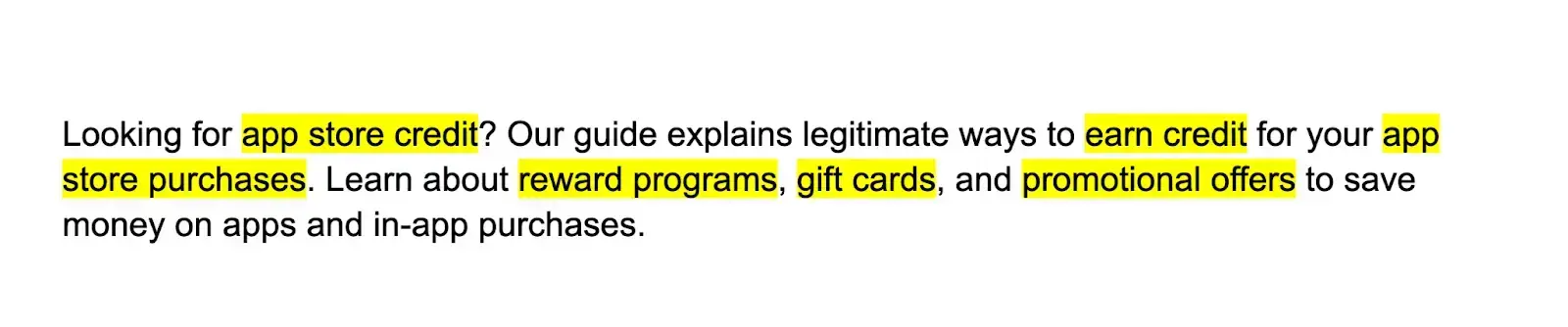
To rank effectively, your content must include keywords in a natural and meaningful way.
What Natural Keyword Usage Looks Like
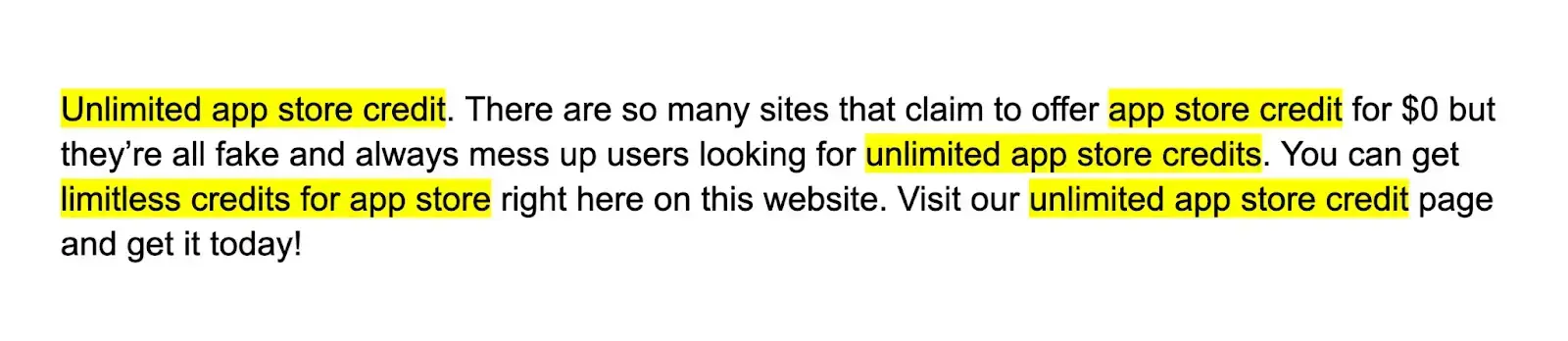
What to Avoid (Keyword Stuffing)
Best Practices
- Add your main keyword in the first paragraph
- Use variations and related terms
- Maintain a natural flow
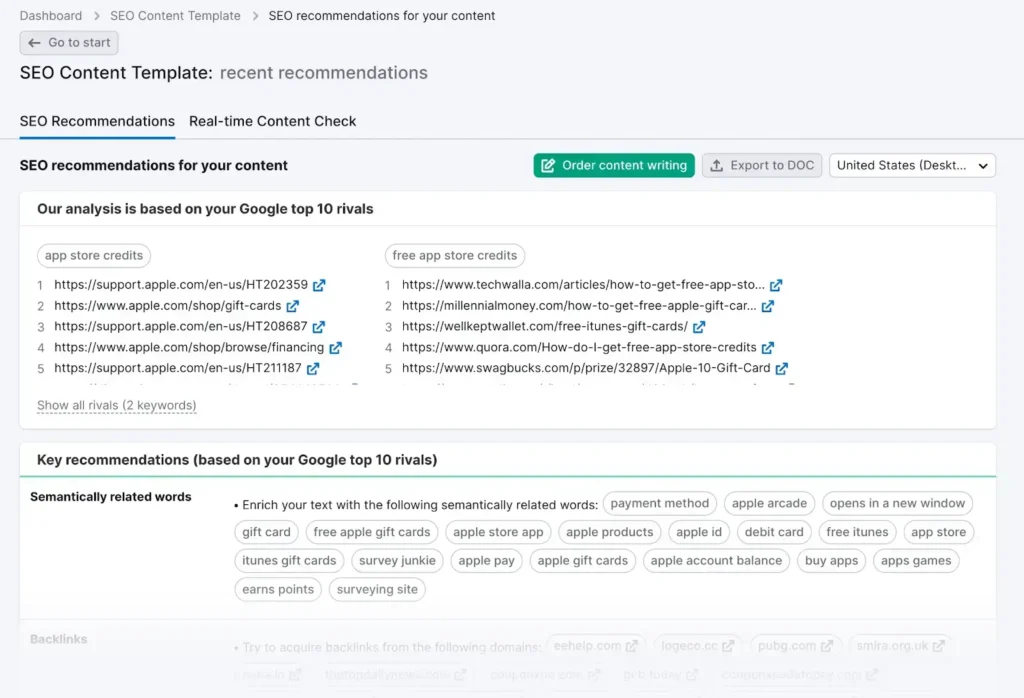
How to Get Keyword Ideas
- Analyze top-ranking pages
- Use tools like SEO Content Template
Why This Matters
Studying competitors helps you:
- Understand keyword usage
- Discover content gaps
- Improve your strategy
7. Review Your Content Quality
Content quality plays a major role in rankings—especially with AI search.
Your content should:
- Be accurate
- Match search intent
- Provide real value
Key Quality Factors
Search Intent
Understand what users expect and deliver exactly that.
Accuracy
Ensure facts are correct and updated.
Originality
Avoid duplication—add unique insights.
Clarity
Answer questions directly and clearly.
Readability
Use simple language and examples.
Structure
Break content into sections with headings.
Engagement
Match tone with your audience.
Why It Matters
If your content doesn’t meet user expectations:
- Users leave
- Rankings drop
- Conversions decrease
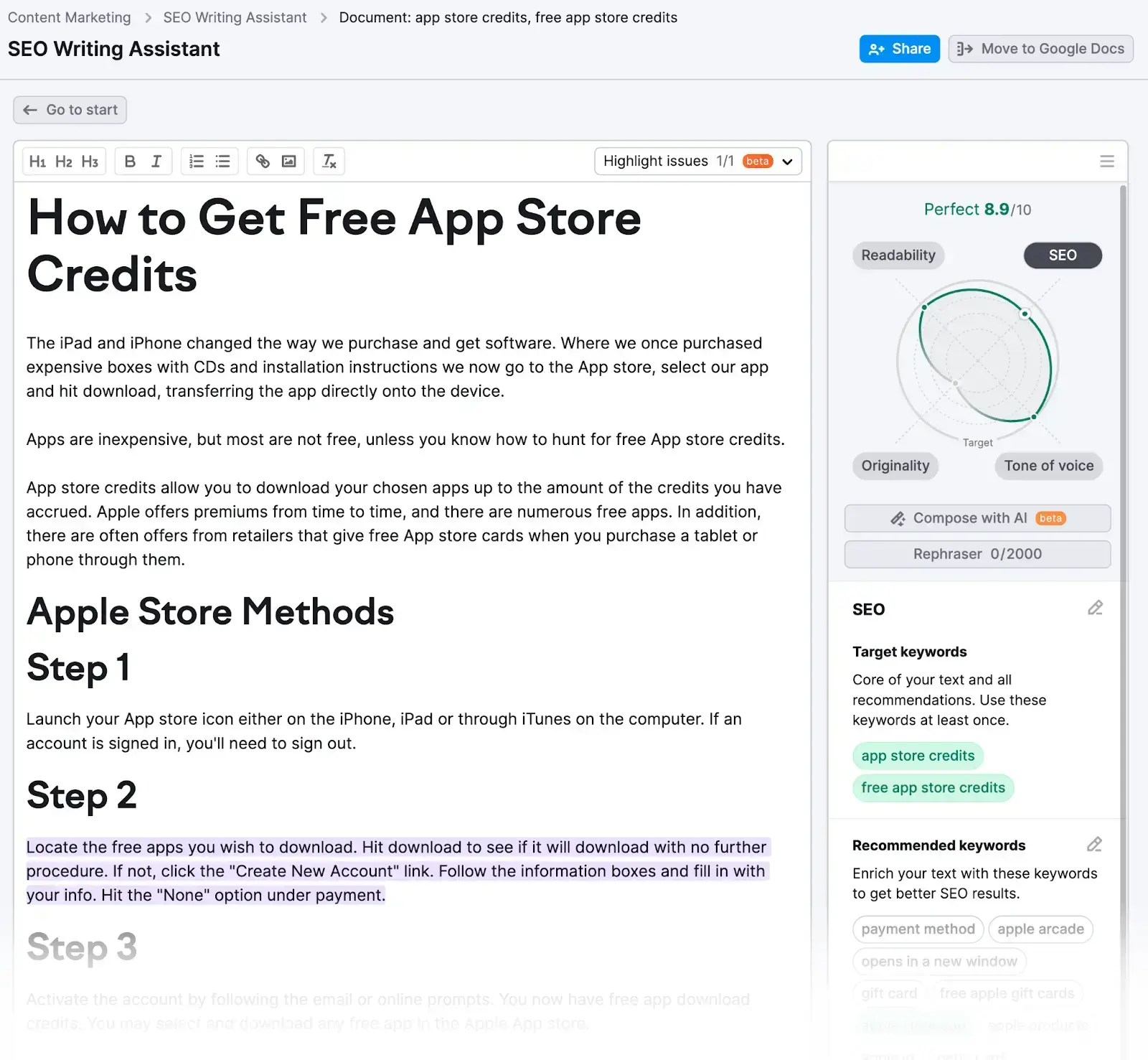
Use SEO Writing Tools
You can use SEO Writing Assistant to:
- Improve readability
- Optimize SEO
- Check plagiarism
8. Organize Content Using Header Tags
Header tags (H1–H6) help structure your content.
Why Structure Matters
- Improves readability
- Helps search engines understand content
- Supports AI content extraction
Example Structure
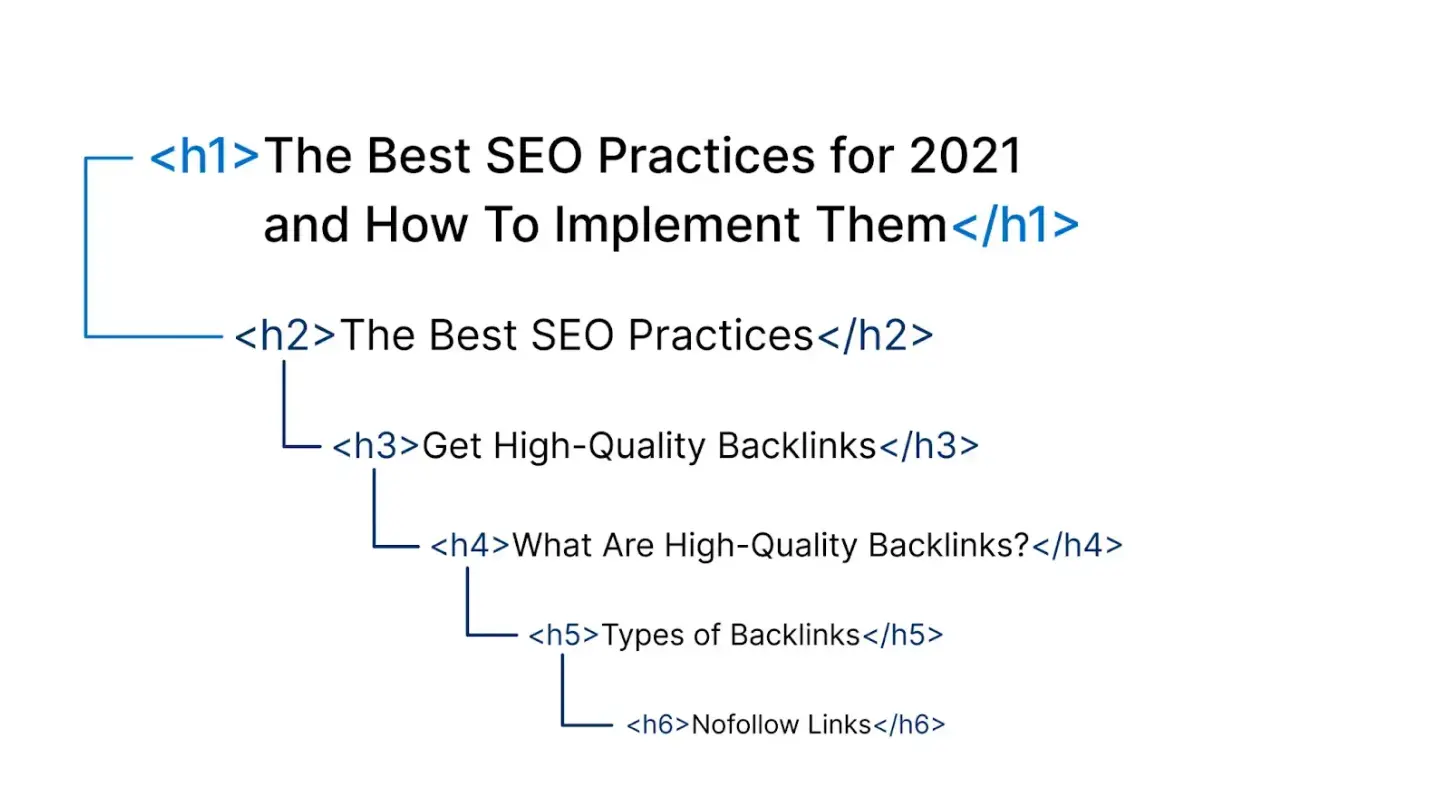
Best Practices
- Use one H1
- Use H2 for main sections
- Use H3 for subsections
- Keep headings clear and descriptive
9. Improve Navigation with Internal Links
Internal links connect your pages and improve user experience.
Benefits
- Helps search engines crawl your site
- Distributes authority
- Keeps users engaged
Best Practices
- Use descriptive anchor text
- Link relevant pages only
- Avoid overlinking
Example

Pro Tip
Also include external links to trusted sources to improve credibility.
10. Add Engaging Visual Content
Visuals make your content:
- Easier to understand
- More engaging
- More SEO-friendly
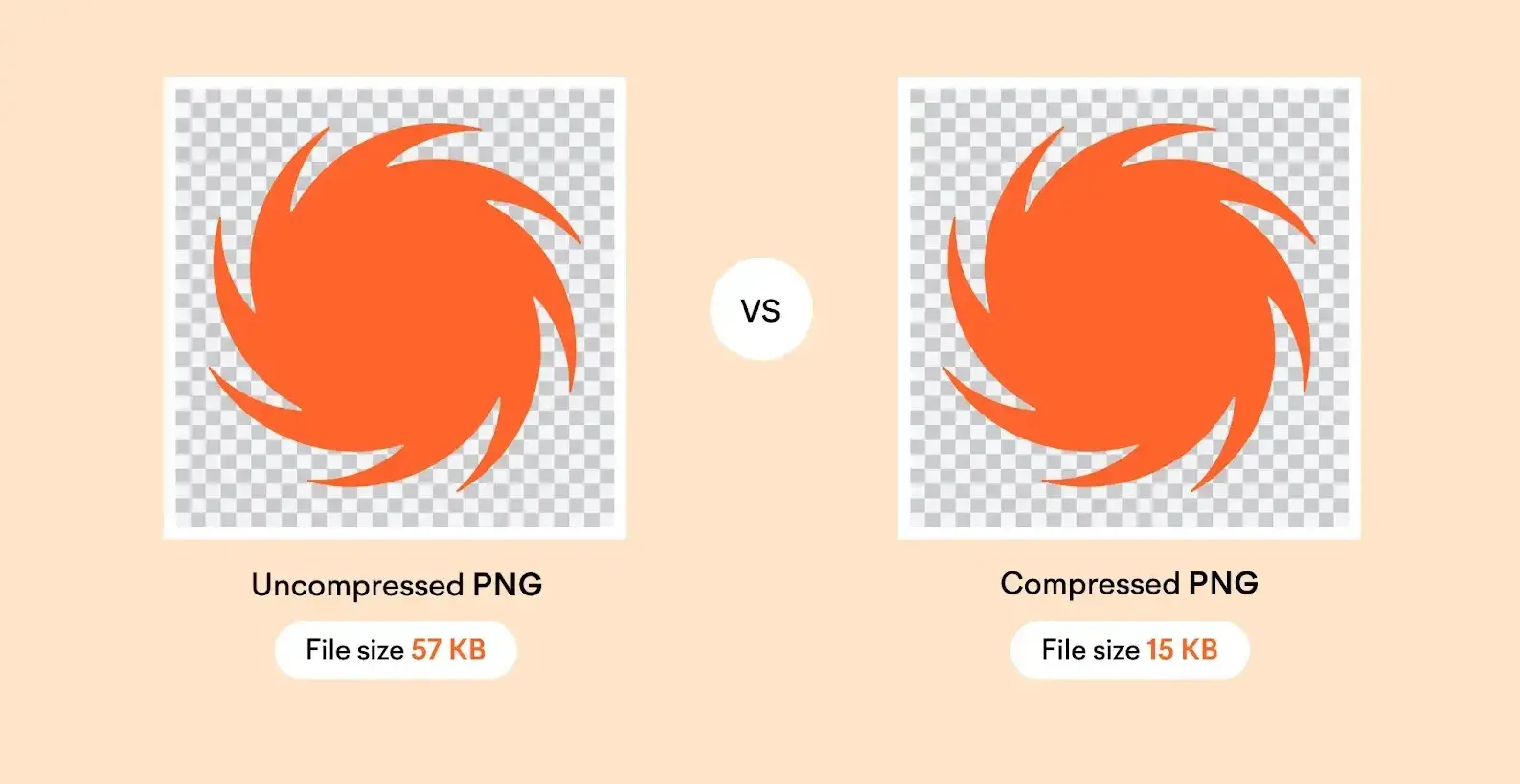
Image Optimization Tips
- Add alt text
- Use descriptive file names
- Compress images
Video Optimization Tips
- Add captions
- Embed from platforms like YouTube
- Match video with content purpose
11. Apply Schema Markup
Schema markup helps search engines better understand your content.
Benefits
- Rich results
- Better visibility
- Higher CTR
Types of Schema
- Article
- Product
- Event
- Local Business
- Recipe
Example

BONUS: Technical SEO Basics
12. Check Your Robots.txt File
Ensure your robots.txt file is not blocking important pages.
Example of a Problem:
Disallow: /
This blocks your entire site from search engines.
Important Note
Also check AI crawlers like:
- OAI-SearchBot
- PerplexityBot
Blocking them means losing AI visibility.
13. Improve Page Speed
Page speed impacts:
- Rankings
- User experience
- Conversions
Common Issues
- Large images
- Too many scripts
- Redirect chains
Check Speed
Use tools like PageSpeed Insights.
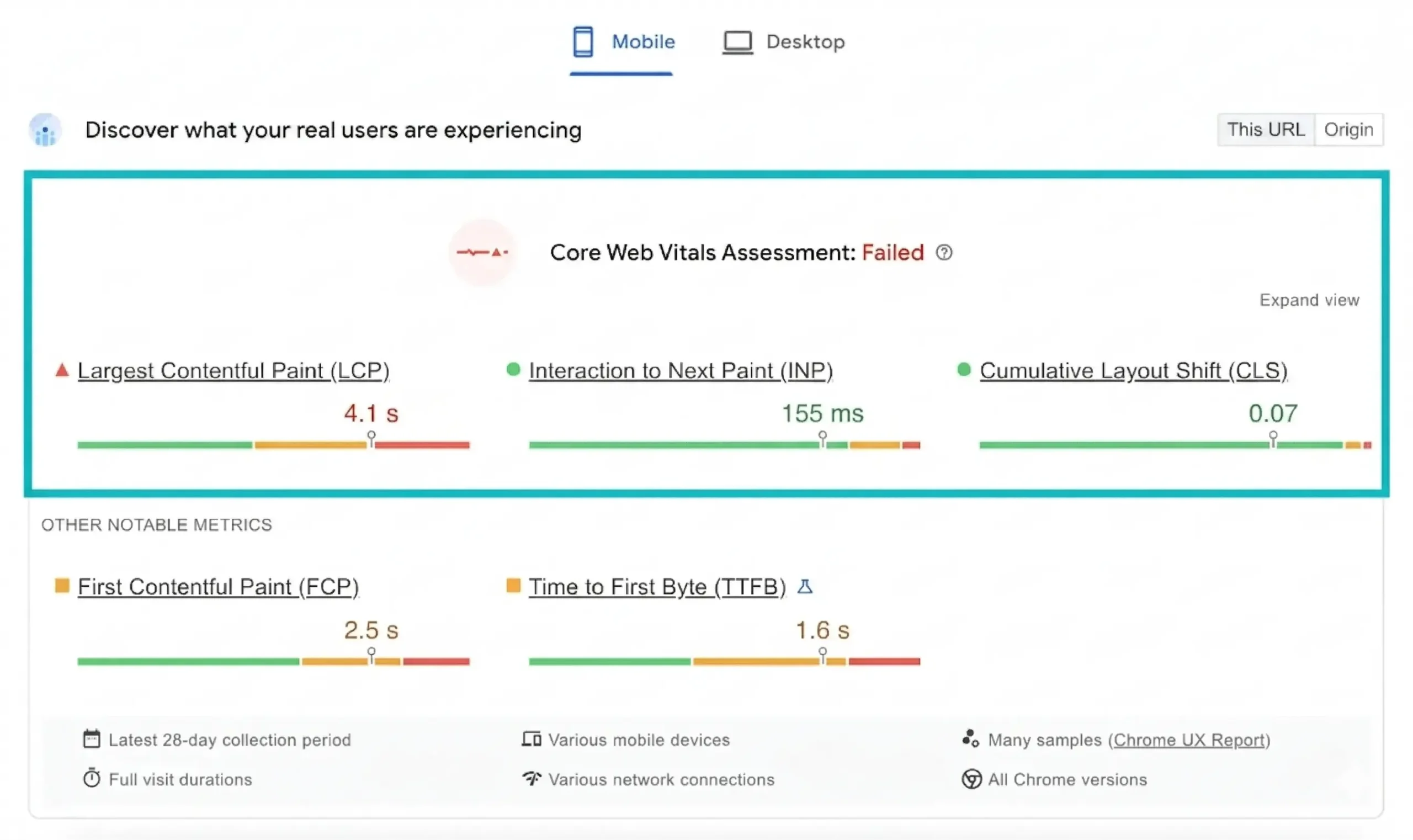
Core Web Vitals
- LCP (Loading speed)
- INP (Interaction speed)
- CLS (Layout stability)
14. Make Your Site Mobile-Friendly
Most traffic comes from mobile devices.
Best Practices
- Use responsive design
- Keep content easy to read
- Make buttons clickable
Why It Matters
Google uses mobile-first indexing, meaning your mobile version determines rankings.